Show where to scratch

Clawmi is a back scratch and massage app. Mark your back and share a picture with your partner.

Download on the App Store

Free for iPhone. No ads. No account.

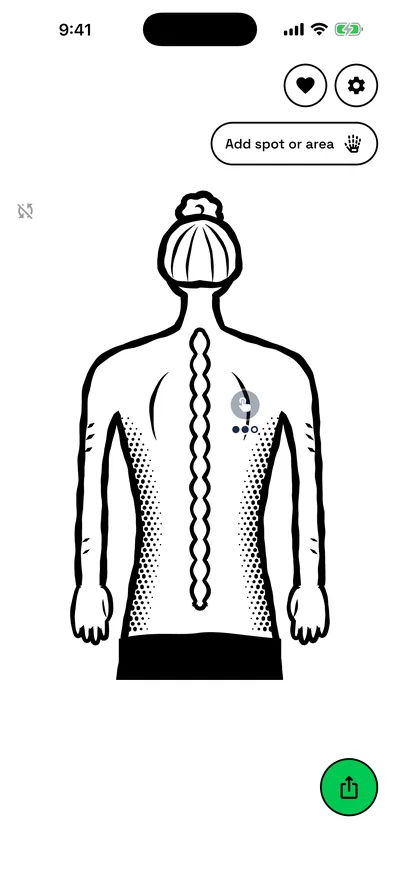
Clawmi home screen showing a back diagram with one marked spot on the upper right of the back, between the spine and shoulder blade.

How it works

No more “left, no, higher, a bit lower”. Show the exact spot in three steps.

  1. Choose your back

    Pick one of two hand-drawn back avatars to mark up.

  2. Mark the spot

    Tap exact spots or draw over larger areas, then choose Scratch, Massage or Apply and how firm you want it.

  3. Pass it on

    Share a picture they can open without the app, or just hand over your iPhone.

Get each other's backs

For couples, partners, roommates and family who take turns getting each other's backs.

  • Back scratches that hit the spot

    Mark the itch you can't reach, even the one between your shoulder blades, so your partner can see exactly where to scratch.

  • Back massages without the guesswork

    Draw over tight shoulders or a sore lower back and choose Light, Medium or Firm, so they know where to work and how much pressure you want.

  • Couples and partners

    Turn “can you get my back?” into a quick, clear request for your partner, or anyone else happy to help.

  • Lotion, oil and sunscreen

    Mark the patches you can't reach and set them to Apply, so nothing gets missed.

Map the itch or the knot

Simple tools that make it obvious where you want a scratch, a massage or lotion, oil and sunscreen applied.

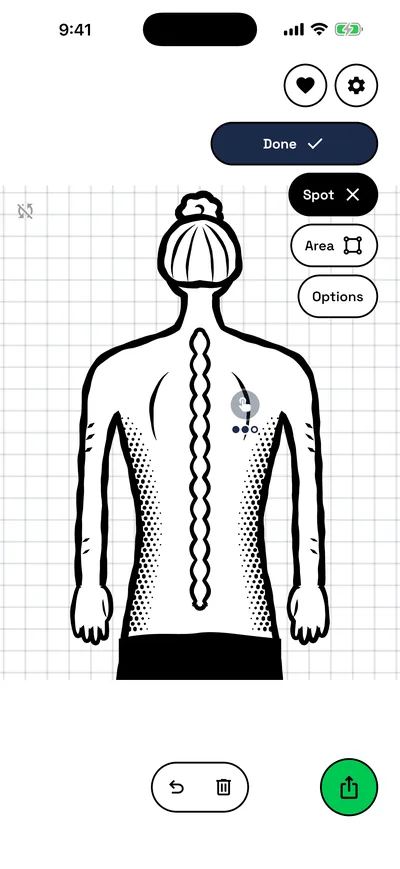
Clawmi in edit mode with the Spot tool selected, a grid behind the back diagram and Area and Options buttons beside it.

Mark the exact spot

Tap once to drop a spot right on the itch. Switch to Area and drag your finger to cover a whole shoulder blade or the length of your lower back.

  • Exact spots for that one itch you can't reach
  • Larger areas for tight muscles and knots
  • Undo the last mark or clear them all
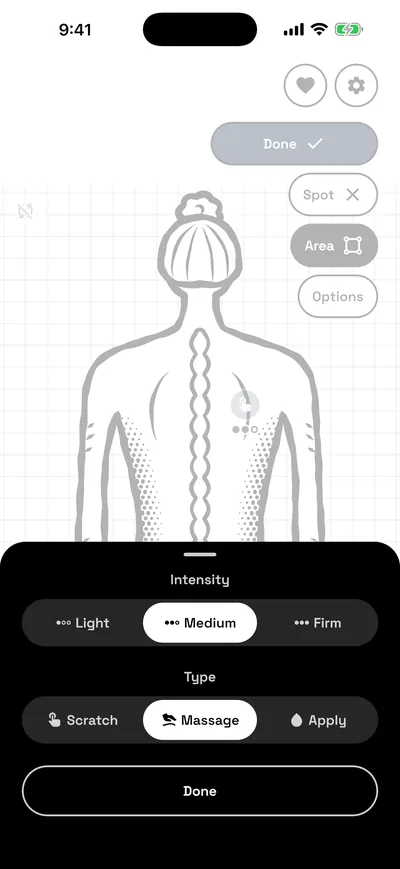
Clawmi mark options sheet with Intensity set to Medium and Type set to Massage, alongside Light, Firm, Scratch and Apply options.

Choose the touch and pressure

Every mark carries its own type and intensity, so a gentle scratch and a firm massage can sit side by side on one map.

  • Scratch for itches
  • Massage for sore spots and knots
  • Apply for lotion, oil or sunscreen
  • Each mark shows its type and intensity right on the map, so no legend is needed
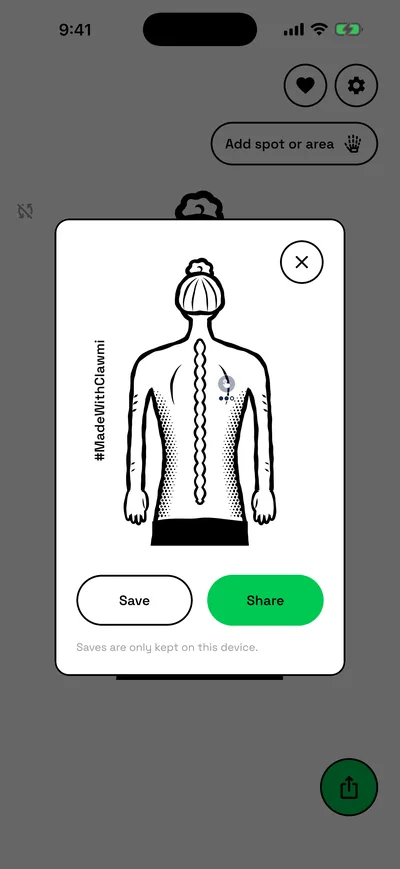
Clawmi share preview showing the marked back map labelled #MadeWithClawmi with Save and Share buttons.

Share a map they can open

Preview your back map, then send it as an image in any messaging app. The person on the other end doesn't need Clawmi to open it.

  • Share the map as a picture through the iPhone share sheet
  • Save one map per avatar on your iPhone and come back to it later
  • Or simply pass your phone across the couch

Simple and private

Clawmi does one thing well and stays out of your way.

  • No account, no sign in

    Open the app and start marking. There is nothing to sign up for.

  • No ads

    Just your back map, without banners or pop-ups.

  • They don't need the app

    A shared back map is an ordinary image anyone can open on their phone.

  • Saved maps stay on your iPhone

    Saved maps are kept only on your device. Usage and crash reporting is optional, and you choose whether to share it during setup or later in Settings.

Before you download

Is Clawmi free?

Yes. Clawmi is free to download and use on iPhone, with no ads, account or sign-in required.

Does the other person need Clawmi?

No. A shared back map is an ordinary image, so they can open it on their own phone without installing anything. You can also just hand them your iPhone.

How does sharing work?

Tap the share button to preview your back map, then tap Share. Clawmi opens the iPhone share sheet, so you can send the image in Messages or any other app, or save it to Photos.

How are my maps saved?

Save keeps one map for each back avatar on your iPhone. It stays on that device until you overwrite or delete it, reset the app or delete Clawmi. There is no account and no syncing. Marks you have not saved clear when the app fully closes.

Is Clawmi a back scratcher?

No. Clawmi doesn't do the scratching. It shows whoever is helping you exactly where the itch is, so their hand or back scratcher lands in the right spot.

Can couples use Clawmi together?

Yes. Make a back map and share it with your partner, or hand them your iPhone. If you both have Clawmi, you can each make maps on your own phone and take turns.

Which devices does Clawmi work on?

Clawmi is an iPhone app for iOS 18.5 or later and is free to download from the App Store. It is not available on Android yet, and it is not currently offered in the EU or UK App Stores.

Your next back scratch, mapped

Mark the spot and send it to your partner. They can open your picture without installing Clawmi.

Get Clawmi for free

For iPhone with iOS 18.5 or later.